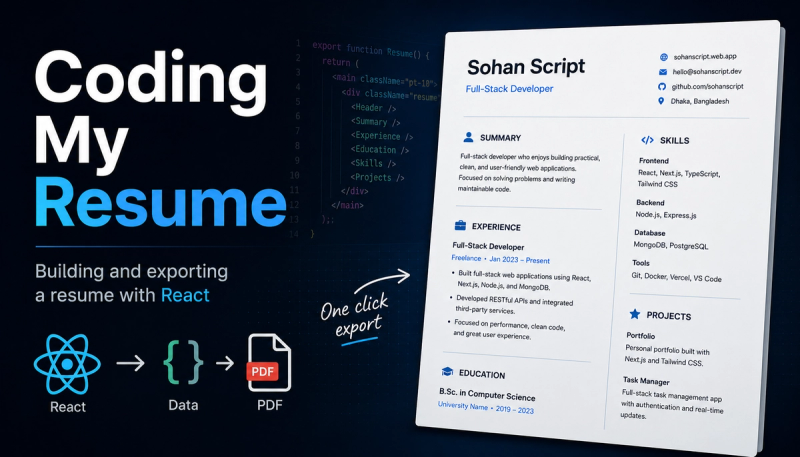

I enjoy building things with code.
Design tools like Figma or Canva work well, but I naturally think in components, props, and state. Writing code feels more comfortable to me than arranging elements on a canvas. So when I needed a resume, I decided to build it in React instead of designing it manually.
Why Code
A resume is mostly structured data like experience, education, skills, projects. That fits naturally into code.
Building it in React gave me a few advantages:
- Reusable components for repeated sections
- Consistent styling across the whole resume
- Easy updates with version control
- Different resume versions from the same data
Instead of editing layouts every time, I can just update the data or components.
The Resume Component
The entire resume is a React component with smaller components for each section.
export function Resume() {
	const resumeRef = React.useRef<HTMLDivElement>(null);

	function handleDownload() {
		if (resumeRef.current) printResume(resumeRef.current);
	}

	return (
		<main className="pt-10 font-futura">
			<div
				ref={resumeRef}
				className="mx-auto bg-card shadow-2xl"
				style={{ maxWidth: "794px", minHeight: "1123px" }}
			>
				{/* Resume content */}
			</div>

			<div className="container mt-10 flex justify-center">
				<Button onClick={handleDownload} icon="lucide:download">
					Download PDF
				</Button>
			</div>
		</main>
	);
}
The resume container uses A4 dimensions so the exported PDF matches the printed version properly.
Exporting to PDF
For PDF export, I used the browser’s built-in printing system instead of adding a PDF library.
The approach is simple:
- Clone the resume DOM
- Open it in a new window
- Apply print styles
- Call
window.print()
function printResume(el: HTMLElement) {
	const bgColor = getComputedStyle(el).backgroundColor;
	const clone = el.cloneNode(true) as HTMLElement;

	const win = window.open("", "_blank");
	if (!win) return;

	document.querySelectorAll('style, link[rel="stylesheet"]').forEach((node) => {
		win.document.head.appendChild(node.cloneNode(true));
	});

	const pageStyle = win.document.createElement("style");

	pageStyle.textContent = `
		@page { size: A4 portrait; margin: 10mm 0 0 0; background: ${bgColor}; }
		* { -webkit-print-color-adjust: exact !important; print-color-adjust: exact !important; }
		section { break-inside: avoid; }
	`;

	win.document.head.appendChild(pageStyle);
	win.document.body.appendChild(clone);

	win.onload = () => {
		win.focus();
		win.print();
		win.close();
	};
}
A few small details helped:
@pageensures the correct paper sizeprint-color-adjust: exactkeeps colors consistentbreak-inside: avoidprevents sections from splitting between pages
No extra PDF package. Just the browser handling print properly.
Result
Now my resume is:
- Easy to maintain
- Built with tools I already use every day
- Exportable as a clean PDF
- Simple to update when something changes
It probably takes longer than using a design tool. But for me, coding it feels more natural and easier to maintain over time.
If you also think in components instead of pixels, building your resume with code might feel surprisingly comfortable too.